



Internet EARS - Version 9
See below for a summary and a comparison against other options, or click here for a more detailed walkthrough as a PDF document.
Internet EARS is the better campaign tool
- Internet EARS v9 is coming to your local party this Autumn. It lets authorised users share electoral roll, canvass, helper and local member data from any computer — or even from a smartphone or a web browser. It is a free upgrade this year. Internet EARS will do more than VAN, more safely and for HALF the COST next year!
- You will not need to run different programs to see EARS, Hands and even some Casework data. More than one user will be able to see or add data at once — yet still use the same tried, tested and familiar interface.
- EARS combines the best campaign ideas with new tools that are safer than a web only system. It remains working even when the internet fails. EARS connects independent databases to share data when online but stays working if offline. EARS logs changes to automatically synchronise them whenever you have a connection.
- Only EARS can guarantee to keep all your valuable past data. Only EARS has 30 yrs experience turning UK Electoral Rolls into usable campaign data. Only EARS has tried and tested software for next May's Polling Day.
Stay with EARS for the best ideas
Lots of exciting new features now added to EARS have never been seen before.
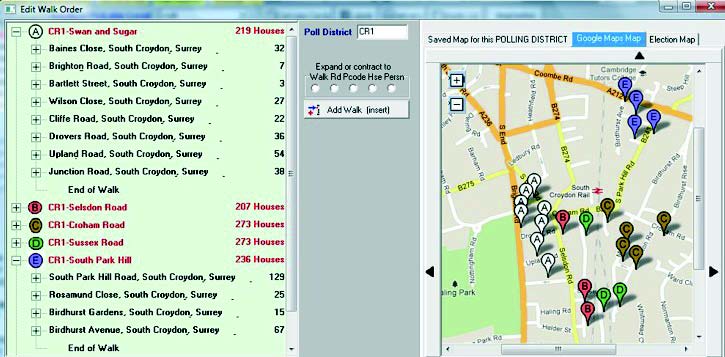
EARS uses Ordnance Survey coordinates to automatically make delivery routes from the electoral roll rather than Google. It then creates Google maps with pins in each road. As Google does not have every voter's road on it, our UK based software does this the right way around!
EARS Lite works on iPhones, Android and any Web browser
EARS Lite is an easy tool that lets you canvass, do telling, knock up or enter marked registers without needing the full program. You can use it either on your smartphone on the doorstep or on a browser when you get home.
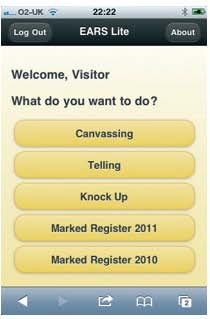
Main Menu
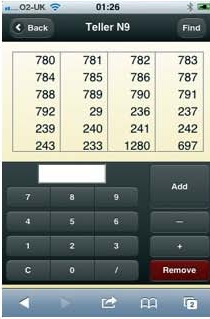
Telling
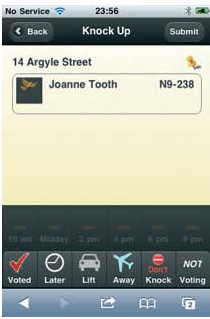
Knock up!
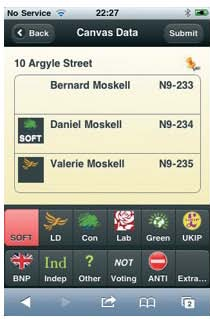
Canvass with your smart phone
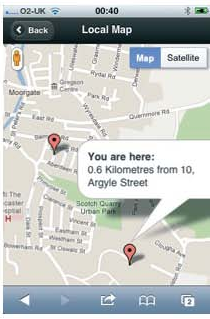
Click pin to see a map
EARS Polling Day. Tried, tested and safe.
EARS Polling Day works either online or offline -from the same familiar screen.
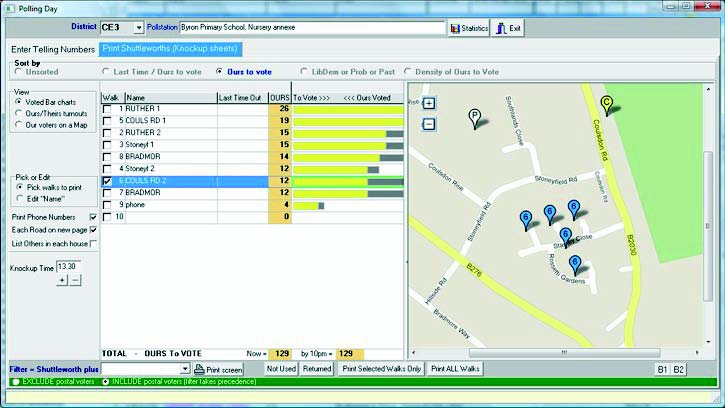
- Only EARS is proven to work in the UK.
- If your committee room has no internet then EARS stays working fine.
- With an Internet connection EARS lets you see maps, wire in EARS Lite users on their smartphones and lets your HQ see your statistics.
- This means more accurate knocking up and more resources on the streets.
- You will be able to feed smartphone users more streets to knockup without them needing to return to the committee room.
Helper, Supporter and Member data (HandS) is now within EARS
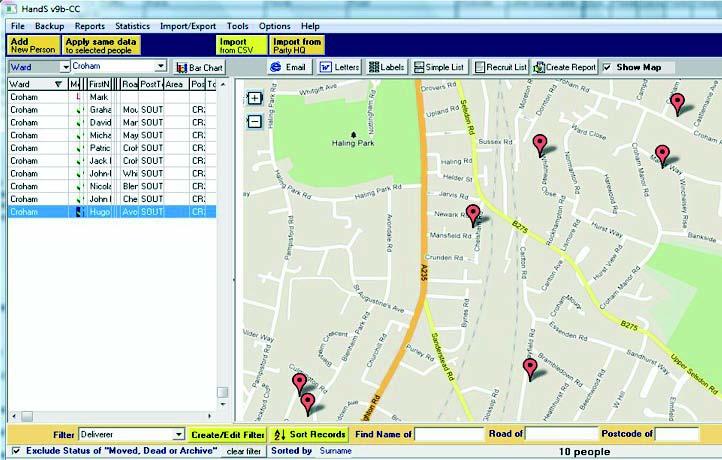
- We've merged our Helper database (HandS) with EARS and made it standard — at no extra cost.
- You can download a membership file from MDO, add in other helpers, mark who does what and list helpers by type.
- You can now click on any record to put a pin where that person lives on a map.
- As shown above, you can also see pins against everybody in your list.
EARS has a record of helping WIN elections
| Will EARS cost you more? | No |  |
| Will EARS let you share and edit data safely, using techniques tested in the UK? | Yes |  |
| Will EARS retain your important data with no risk of it being lost in translation? | Yes | |
| Does EARS have the important campaigning tools you need - focused on UK needs? | Yes | |
| Independent Databases that share data when you are online but keep working when offline? | Yes | |
| Access to low cost phone numbers and low cost internet telephone canvass tools? | Yes | |
| UK programmers with UK campaign experience able to react immediately to UK needs? | Yes | |
| A much improved version of Tried, Tested and Familiar software that needs far less new training? | Yes | |